This is a mirror host of the KP Official Wiki on Miraheze. We dont actually mirror we host the same content
Shop: Difference between revisions
put pickaxe in uncraftables |
miraheze-user->Zhugo83 Fixed all images link |
||
| Line 184: | Line 184: | ||
===Common - 50%=== | ===Common - 50%=== | ||
<gallery orientation="none" position="left" captionalign="center" widths="150" columns="4"> | <gallery orientation="none" position="left" captionalign="center" widths="150" columns="4"> | ||
File:Circuit.png | File:Circuit Knife.png | ||
File:Dangerous | File:Dangerous Knife.png | ||
File:Domino | File:Domino Knife.png | ||
File:Rose | File:Rose Knife.png | ||
File:Cardboard Knife.png | File:Cardboard Knife.png | ||
File:Firework | File:Firework Knife.png | ||
</gallery> | </gallery> | ||
===Uncommon - 25%=== | ===Uncommon - 25%=== | ||
<gallery orientation="none" position="left" captionalign="center" widths="150" columns="4"> | <gallery orientation="none" position="left" captionalign="center" widths="150" columns="4"> | ||
File: | File:Green Checker.png | ||
File: | File:Pink Checker.png | ||
File: | File:Red Checker.png | ||
File: | File:Blue Checker.png | ||
File:Yellow Checker.png | File:Yellow Checker.png | ||
</gallery> | </gallery> | ||
===Rare - 17%=== | ===Rare - 17%=== | ||
<gallery orientation="none" position="left" captionalign="center" widths="150" columns="4"> | <gallery orientation="none" position="left" captionalign="center" widths="150" columns="4"> | ||
File: | File:Emerald Knife.png | ||
File:Daytime.png | File:Daytime.png | ||
File:Dream.png | File:Dream.png | ||
File:Error | File:Error Knife.png | ||
</gallery> | </gallery> | ||
===Ultra Rare - 6%=== | ===Ultra Rare - 6%=== | ||
| Line 210: | Line 210: | ||
File:Rainbow Knife.png | File:Rainbow Knife.png | ||
File:Galaxia.png | File:Galaxia.png | ||
File:Modern | File:Modern Art.png | ||
</gallery> | </gallery> | ||
===Legendary - 2%=== | ===Legendary - 2%=== | ||
<gallery orientation="none" position="left" captionalign="center" widths="150" columns="4"> | <gallery orientation="none" position="left" captionalign="center" widths="150" columns="4"> | ||
File:Agony | File:Agony Knife.png | ||
File:Rod.png | File:Peculiar Wooden Rod That is Awaiting a Replacement.png | ||
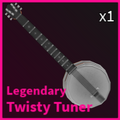
File: | File:Twisty Tuner.png | ||
</gallery> | </gallery> | ||
| Line 231: | Line 231: | ||
===Common - 50%=== | ===Common - 50%=== | ||
<gallery orientation="none" position="left" captionalign="center" widths="150" columns="4"> | <gallery orientation="none" position="left" captionalign="center" widths="150" columns="4"> | ||
File:Boom | File:Boom Knife.png | ||
File:Linked Knife.png | File:Linked Knife.png | ||
File:Bark | File:Bark Knife.png | ||
File:Wanwood | File:Wanwood Knife.png | ||
File:Slate Knife.png | File:Slate Knife.png | ||
File:Blue | File:Blue Steel Knife.png | ||
File:Adurite | File:Adurite Knife.png | ||
</gallery> | </gallery> | ||
===Uncommon - 25%=== | ===Uncommon - 25%=== | ||
<gallery orientation="none" position="left" captionalign="center" widths="150" columns="4"> | <gallery orientation="none" position="left" captionalign="center" widths="150" columns="4"> | ||
File:Melon | File:Melon Knife.png | ||
File:Sparkle | File:Sparkle Peanut.png | ||
File:Cloud | File:Cloud Knife.png | ||
File:Antique.png | File:Antique.png | ||
</gallery> | </gallery> | ||
===Rare - 17%=== | ===Rare - 17%=== | ||
<gallery orientation="none" position="left" captionalign="center" widths="150" columns="4"> | <gallery orientation="none" position="left" captionalign="center" widths="150" columns="4"> | ||
File: | File:Au Knife.png | ||
File: | File:Cheese.png | ||
File: | File:Noob Knife.png | ||
File: | File:Hex Knife.png | ||
File: | File:Missing Knife.png | ||
File:Bobux | File:Bobux Knife.png| | ||
File:Swiss.png | File:Swiss.png | ||
</gallery> | </gallery> | ||
===Ultra Rare - 6%=== | ===Ultra Rare - 6%=== | ||
<gallery orientation="none" position="left" captionalign="center" widths="150" columns="4"> | <gallery orientation="none" position="left" captionalign="center" widths="150" columns="4"> | ||
File:Goldify | File:Goldify.png | ||
File:Kryptoknife.png | File:Kryptoknife.png | ||
File: | File:Plasmic Knife.png | ||
File: | File:Faded Memories.png | ||
</gallery> | </gallery> | ||
===Legendary - 2%=== | ===Legendary - 2%=== | ||
<gallery orientation="none" position="left" captionalign="center" widths="150" columns="4"> | <gallery orientation="none" position="left" captionalign="center" widths="150" columns="4"> | ||
File:Clown | File:Clown Hammer.png | ||
</gallery> | </gallery> | ||
| Line 280: | Line 280: | ||
<gallery orientation="none" position="left" captionalign="center" widths="150" columns="4"> | <gallery orientation="none" position="left" captionalign="center" widths="150" columns="4"> | ||
File:Tanto.png | File:Tanto.png | ||
File: | File:Metal Bat.png | ||
File: | File:Adurite.png | ||
File: | File:Blackiron.png | ||
File: | File:Bluesteel.png | ||
File: | File:Bluediamond.png | ||
File: | File:Bombastic.png | ||
File: | File:Caution.png | ||
File: | File:Wanwood.png | ||
</gallery> | </gallery> | ||
===Uncommon - 25%=== | ===Uncommon - 25%=== | ||
<gallery orientation="none" position="left" captionalign="center" widths="150" columns="4"> | <gallery orientation="none" position="left" captionalign="center" widths="150" columns="4"> | ||
File: | File:Kaiju Bat.png | ||
File: | File:Outlined.png | ||
File: | File:Watermelon.png | ||
File: | File:Desert Camo.png | ||
File:Jungle | File:Jungle Camo.png | ||
File: | File:Snow Camo.png | ||
</gallery> | </gallery> | ||
===Rare - 17%=== | ===Rare - 17%=== | ||
<gallery orientation="none" position="left" captionalign="center" widths="150" columns="4"> | <gallery orientation="none" position="left" captionalign="center" widths="150" columns="4"> | ||
File: | File:Spiky Club.png | ||
File: | File:Linked Sword.png | ||
File: | File:Baguette.png | ||
File:Wrench.png | File:Wrench.png | ||
File: | File:Cheddar.png | ||
</gallery> | </gallery> | ||
===Ultra Rare - 6%=== | ===Ultra Rare - 6%=== | ||
| Line 315: | Line 315: | ||
<gallery orientation="none" position="left" captionalign="center" widths="150" columns="4"> | <gallery orientation="none" position="left" captionalign="center" widths="150" columns="4"> | ||
File:Headtaker.png | File:Headtaker.png | ||
File: | File:Stop Sign.png | ||
</gallery> | </gallery> | ||
| Line 329: | Line 329: | ||
===Common - 50%=== | ===Common - 50%=== | ||
<gallery orientation="none" position="left" captionalign="center" widths="150" columns="4"> | <gallery orientation="none" position="left" captionalign="center" widths="150" columns="4"> | ||
File: | File:Cyan Bat.png | ||
File: | File:Orange Bat.png | ||
File: | File:Pink Bat.png | ||
File: | File:Yellow Bat.png | ||
File: | File:Blue Bat.png | ||
File: | File:Red Bat.png | ||
File: | File:Green Bat.png | ||
File: | File:White Bat.png | ||
</gallery> | </gallery> | ||
===Uncommon - 25%=== | ===Uncommon - 25%=== | ||
<gallery orientation="none" position="left" captionalign="center" widths="150" columns="4"> | <gallery orientation="none" position="left" captionalign="center" widths="150" columns="4"> | ||
File: | File:Honey.png | ||
File: | File:Lime.png | ||
File: | File:Rose.png | ||
File: | File:Blue Sparkle.png | ||
File: | File:Red Sparkle.png | ||
File: | File:Green Sparkle.png | ||
</gallery> | </gallery> | ||
===Rare - 17%=== | ===Rare - 17%=== | ||
<gallery orientation="none" position="left" captionalign="center" widths="150" columns="4"> | <gallery orientation="none" position="left" captionalign="center" widths="150" columns="4"> | ||
File: | File:Dawn.png | ||
File: | File:Dusk.png | ||
File: | File:Midnight.png | ||
File: | File:Matrix.png | ||
File: | File:Error.png | ||
</gallery> | </gallery> | ||
===Ultra Rare - 6%=== | ===Ultra Rare - 6%=== | ||
<gallery orientation="none" position="left" captionalign="center" widths="150" columns="4"> | <gallery orientation="none" position="left" captionalign="center" widths="150" columns="4"> | ||
File: | File:Blue Batsaber.png | ||
File: | File:Red Batsaber.png | ||
File: | File:Green Batsaber.png | ||
</gallery> | </gallery> | ||
===Legendary - 2%=== | ===Legendary - 2%=== | ||
<gallery orientation="none" position="left" captionalign="center" widths="150" columns="4"> | <gallery orientation="none" position="left" captionalign="center" widths="150" columns="4"> | ||
File:Nebula | File:Nebula G.png | ||
File: | File:Nebula Y.png | ||
File: | File:Nebula P.png | ||
File: | File:Face Melter.png | ||
File: | File:Face Cooler.png | ||
</gallery> | </gallery> | ||
| Line 388: | Line 388: | ||
===Uncommon - 25%=== | ===Uncommon - 25%=== | ||
<gallery orientation="none" position="left" captionalign="center" widths="150" columns="4"> | <gallery orientation="none" position="left" captionalign="center" widths="150" columns="4"> | ||
File:Melon | File:Melon Knife.png | ||
File: | File:Pink Checker.png | ||
File: | File:Red Checker.png | ||
File: | File:Honey.png | ||
File: | File:Lime.png | ||
File: | File:Rose.png | ||
</gallery> | </gallery> | ||
===Rare - 60%=== | ===Rare - 60%=== | ||
<gallery orientation="none" position="left" captionalign="center" widths="150" columns="4"> | <gallery orientation="none" position="left" captionalign="center" widths="150" columns="4"> | ||
File:Bobux | File:Bobux Knife.png| | ||
File: | File:Hex Knife.png | ||
File: | File:Missing Knife.png | ||
File: | File:Spiky Club.png | ||
File: | File:Linked Sword.png | ||
File: | File:Baguette.png | ||
File: | File:Dawn.png | ||
File: | File:Dusk.png | ||
File: | File:Midnight.png | ||
File: | File:Matrix.png | ||
File: | File:Error.png | ||
File:Nerdbunny Icon.png | File:Nerdbunny Icon.png | ||
File:Captainshark Icon.png | File:Captainshark Icon.png | ||
| Line 415: | Line 415: | ||
===Ultra Rare - 13%=== | ===Ultra Rare - 13%=== | ||
<gallery orientation="none" position="left" captionalign="center" widths="150" columns="4"> | <gallery orientation="none" position="left" captionalign="center" widths="150" columns="4"> | ||
File: | File:Red Batsaber.png | ||
File: | File:Green Batsaber.png | ||
File:Overseen.jpg | File:Overseen.jpg | ||
File:Scorch.png | File:Scorch.png | ||
| Line 427: | Line 427: | ||
===Legendary - 2%=== | ===Legendary - 2%=== | ||
<gallery orientation="none" position="left" captionalign="center" widths="150" columns="4"> | <gallery orientation="none" position="left" captionalign="center" widths="150" columns="4"> | ||
File:Clown | File:Clown Hammer.png | ||
File:Fish.png | File:Fish.png | ||
File: | File:Face Melter.png | ||
File:Jonin.png | File:Jonin.png | ||
File: | File:Stop Sign.png | ||
File:Flamingkaiju icon.png | File:Flamingkaiju icon.png | ||
File:Virtualfighterjammer Icon.png | File:Virtualfighterjammer Icon.png | ||
| Line 453: | Line 453: | ||
<gallery orientation="none" position="left" captionalign="center" widths="150" columns="4"> | <gallery orientation="none" position="left" captionalign="center" widths="150" columns="4"> | ||
File:Scorch.png | File:Scorch.png | ||
File:Molten | File:Molten Sword.png | ||
</gallery> | </gallery> | ||
===Legendary - 10%=== | ===Legendary - 10%=== | ||
<gallery orientation="none" position="left" captionalign="center" widths="150" columns="4"> | <gallery orientation="none" position="left" captionalign="center" widths="150" columns="4"> | ||
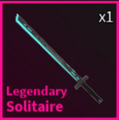
File:Solitaire.png | File:Solitaire.png | ||
File: | File:Face Cooler.png | ||
File: | File:Crystal Gasher.png | ||
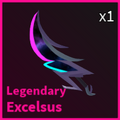
File:Excelsus.png | File:Excelsus.png | ||
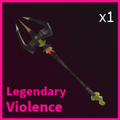
File:Violence.png | File:Violence.png | ||
| Line 491: | Line 491: | ||
===Uncommon - 50%=== | ===Uncommon - 50%=== | ||
<gallery orientation="none" position="left" captionalign="center" widths="150" columns="4"> | <gallery orientation="none" position="left" captionalign="center" widths="150" columns="4"> | ||
File: | File:Candycane Bat.png | ||
File:Peppermint.png | File:Peppermint Bat.png | ||
</gallery> | </gallery> | ||
===Rare - 35%=== | ===Rare - 35%=== | ||
<gallery orientation="none" position="left" captionalign="center" widths="150" columns="4"> | <gallery orientation="none" position="left" captionalign="center" widths="150" columns="4"> | ||
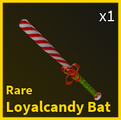
File:Loyalcandy.png | File:Loyalcandy Bat.png | ||
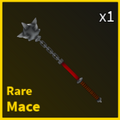
File:Mace.png | File:Mace.png | ||
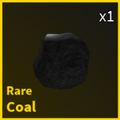
File:Coal.png | File:Coal.png | ||
| Line 502: | Line 502: | ||
===Ultra Rare - 12%=== | ===Ultra Rare - 12%=== | ||
<gallery orientation="none" position="left" captionalign="center" widths="150" columns="4"> | <gallery orientation="none" position="left" captionalign="center" widths="150" columns="4"> | ||
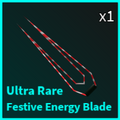
File: | File:Festive Energy Blade.png | ||
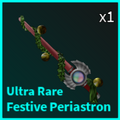
File:Festive | File:Festive Periastron.png | ||
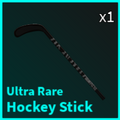
File:Hockey | File:Hockey Stick.png | ||
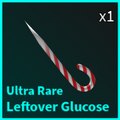
File:Leftover | File:Leftover Glucose.png | ||
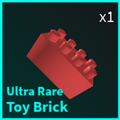
File:Toy | File:Toy Brick.png | ||
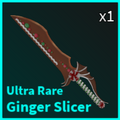
File:Ginger | File:Ginger Slicer.png | ||
</gallery> | </gallery> | ||
===Legendary - 3%=== | ===Legendary - 3%=== | ||
<gallery orientation="none" position="left" captionalign="center" widths="150" columns="4"> | <gallery orientation="none" position="left" captionalign="center" widths="150" columns="4"> | ||
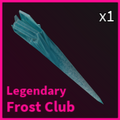
File: | File:Frost Club.png | ||
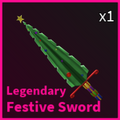
File:Festive | File:Festive Sword.png | ||
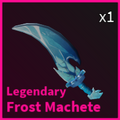
File:Frost | File:Frost Machete.png | ||
File:Frost | File:Frost Scythe.png | ||
File:Frost | File:Frost Knife.png | ||
File:Frost | File:Frost Katana.png | ||
File:Frost | File:Frost Bow.png | ||
File:Christmas | File:Christmas Bow.png | ||
</gallery> | </gallery> | ||
| Line 533: | Line 533: | ||
===Uncommon - 40%=== | ===Uncommon - 40%=== | ||
<gallery orientation="none" position="left" captionalign="center" widths="150" columns="4"> | <gallery orientation="none" position="left" captionalign="center" widths="150" columns="4"> | ||
File: | File:Candycane Bat.png | ||
File:Peppermint.png | File:Peppermint Bat.png | ||
</gallery> | </gallery> | ||
===Rare - 25%=== | ===Rare - 25%=== | ||
<gallery orientation="none" position="left" captionalign="center" widths="150" columns="4"> | <gallery orientation="none" position="left" captionalign="center" widths="150" columns="4"> | ||
File:Loyalcandy.png | File:Loyalcandy Bat.png | ||
File:Mace.png | File:Mace.png | ||
File:Coal.png | File:Coal.png | ||
| Line 544: | Line 544: | ||
===Ultra Rare - 20%=== | ===Ultra Rare - 20%=== | ||
<gallery orientation="none" position="left" captionalign="center" widths="150" columns="4"> | <gallery orientation="none" position="left" captionalign="center" widths="150" columns="4"> | ||
File: | File:Festive Energy Blade.png | ||
File:Festive | File:Festive Periastron.png | ||
File:Hockey | File:Hockey Stick.png | ||
File:Leftover | File:Leftover Glucose.png | ||
File:Toy | File:Toy Brick.png | ||
File:Ginger | File:Ginger Slicer.png | ||
</gallery> | </gallery> | ||
===Legendary - 15%=== | ===Legendary - 15%=== | ||
<gallery orientation="none" position="left" captionalign="center" widths="150" columns="4"> | <gallery orientation="none" position="left" captionalign="center" widths="150" columns="4"> | ||
File: | File:Frost Club.png | ||
File:Festive | File:Festive Sword.png | ||
File:Frost | File:Frost Machete.png | ||
File:Frost | File:Frost Scythe.png | ||
File:Frost | File:Frost Knife.png | ||
File:Frost | File:Frost Katana.png | ||
File:Frost | File:Frost Bow.png | ||
File:Christmas | File:Christmas Bow.png | ||
</gallery> | </gallery> | ||
| Line 575: | Line 575: | ||
===Rare - 15%=== | ===Rare - 15%=== | ||
<gallery orientation="none" position="left" captionalign="center" widths="150" columns="4"> | <gallery orientation="none" position="left" captionalign="center" widths="150" columns="4"> | ||
File:Loyalcandy.png | File:Loyalcandy Bat.png | ||
File:Mace.png | File:Mace.png | ||
File:Coal.png | File:Coal.png | ||
| Line 581: | Line 581: | ||
===Ultra Rare - 50%=== | ===Ultra Rare - 50%=== | ||
<gallery orientation="none" position="left" captionalign="center" widths="150" columns="4"> | <gallery orientation="none" position="left" captionalign="center" widths="150" columns="4"> | ||
File: | File:Festive Energy Blade.png | ||
File:Festive | File:Festive Periastron.png | ||
File:Hockey | File:Hockey Stick.png | ||
File:Leftover | File:Leftover Glucose.png | ||
File:Toy | File:Toy Brick.png | ||
File:Ginger | File:Ginger Slicer.png | ||
</gallery> | </gallery> | ||
===Legendary - 35%=== | ===Legendary - 35%=== | ||
<gallery orientation="none" position="left" captionalign="center" widths="150" columns="4"> | <gallery orientation="none" position="left" captionalign="center" widths="150" columns="4"> | ||
File: | File:Frost Club.png | ||
File:Festive | File:Festive Sword.png | ||
File:Frost | File:Frost Machete.png | ||
File:Frost | File:Frost Scythe.png | ||
File:Frost | File:Frost Knife.png | ||
File:Frost | File:Frost Katana.png | ||
File:Frost | File:Frost Bow.png | ||
File:Christmas | File:Christmas Bow.png | ||
</gallery> | </gallery> | ||
| Line 612: | Line 612: | ||
This chance was reduced to 11% on the final day of the event. | This chance was reduced to 11% on the final day of the event. | ||
<gallery orientation="none" position="left" captionalign="center" widths="150" columns="4"> | <gallery orientation="none" position="left" captionalign="center" widths="150" columns="4"> | ||
File: | File:Caution.png | ||
File: | File:Bluesteel.png | ||
File: | File:Orange Bat.png | ||
File: | File:Bombastic.png | ||
File:Linked Knife.png | File:Linked Knife.png | ||
File:Wanwood | File:Wanwood Knife.png | ||
</gallery> | </gallery> | ||
===Uncommon - 25%=== | ===Uncommon - 25%=== | ||
<gallery orientation="none" position="left" captionalign="center" widths="150" columns="4"> | <gallery orientation="none" position="left" captionalign="center" widths="150" columns="4"> | ||
File: | File:Desert Camo.png | ||
File:Antique.png | File:Antique.png | ||
File: | File:Snow Camo.png | ||
File: | File:Red Checker.png | ||
File: | File:Honey.png | ||
File:Sickle.png | File:Sickle.png | ||
File:Cleaver.png | File:Cleaver.png | ||
| Line 632: | Line 632: | ||
This chance was increased to 30% on the final day of the event. | This chance was increased to 30% on the final day of the event. | ||
<gallery orientation="none" position="left" captionalign="center" widths="150" columns="4"> | <gallery orientation="none" position="left" captionalign="center" widths="150" columns="4"> | ||
File: | File:Dusk.png | ||
File: | File:Baguette.png | ||
File: | File:Spiky Club.png | ||
File:Wakizashi.png | File:Wakizashi.png | ||
File:Witches Broom.png | File:Witches Broom.png | ||
File: | File:Bloodied Cleaver.png | ||
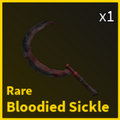
File: | File:Bloodied Sickle.png | ||
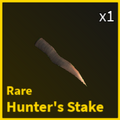
File: | File:Hunter's Stake.png | ||
File:Rustic Devastation.png | File:Rustic Devastation.png | ||
</gallery> | </gallery> | ||
| Line 646: | Line 646: | ||
<gallery orientation="none" position="left" captionalign="center" widths="150" columns="4"> | <gallery orientation="none" position="left" captionalign="center" widths="150" columns="4"> | ||
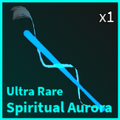
File:Spiritual Aurora.png | File:Spiritual Aurora.png | ||
File:Nightly | File:Nightly Lavender.png | ||
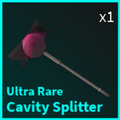
File:Cavity Splitter.png | File:Cavity Splitter.png | ||
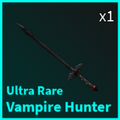
File:Vampire | File:Vampire Hunter.png | ||
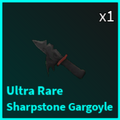
File:Sharpstone.png | File:Sharpstone Gargoyle.png | ||
</gallery> | </gallery> | ||
===Legendary - 7%=== | ===Legendary - 7%=== | ||
| Line 655: | Line 655: | ||
<gallery orientation="none" position="left" captionalign="center" widths="150" columns="4"> | <gallery orientation="none" position="left" captionalign="center" widths="150" columns="4"> | ||
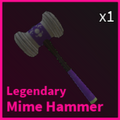
File:Mime Hammer.png | File:Mime Hammer.png | ||
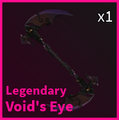
File: | File:Void's Eye.png | ||
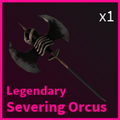
File:Severing | File:Severing Orcus.png | ||
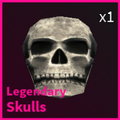
File:Skulls.png | File:Skulls.png | ||
</gallery> | </gallery> | ||
| Line 674: | Line 674: | ||
File:Confetti Crash.png | File:Confetti Crash.png | ||
File:Mime Hammer.png | File:Mime Hammer.png | ||
File:Clown | File:Clown Hammer.png | ||
File:Mime Icon.png | File:Mime Icon.png | ||
File:Cfcake Icon.png | File:Cfcake Icon.png | ||
File:Vfcake Icon.png | File:Vfcake Icon.png | ||
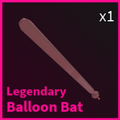
File:Balloon | File:Balloon Bat.png | ||
File: | File:Balloon Knife.png | ||
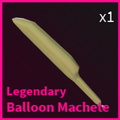
File: | File:Balloon Machete.png | ||
File: | File:Balloon Scythe.png | ||
File:Balloon | File:Balloon Katana.png | ||
</gallery> | </gallery> | ||
| Line 838: | Line 838: | ||
These are the currently known crafting-exclusive skins: | These are the currently known crafting-exclusive skins: | ||
<gallery orientation="none" position="left" captionalign="center" widths="115" columns="5"> | <gallery orientation="none" position="left" captionalign="center" widths="115" columns="5"> | ||
File: | File:Red Batsaber.png | ||
File: | File:Blue Batsaber.png | ||
File: | File:Green Batsaber.png | ||
File:WhiteArrow.png | File:WhiteArrow.png | ||
File: | File:RGB Batsaber.png | ||
</gallery> | </gallery> | ||
| Line 849: | Line 849: | ||
File:DualFaceCooler.png | File:DualFaceCooler.png | ||
File:WhiteArrow.png | File:WhiteArrow.png | ||
File: | File:Chocolate Reign.png | ||
</gallery> | </gallery> | ||
<gallery orientation="none" position="left" captionalign="center" widths="115" columns="5"> | <gallery orientation="none" position="left" captionalign="center" widths="115" columns="5"> | ||
File:Stick.png | File:Stick.png | ||
File: | File:White Bat.png | ||
File:WhiteArrow.png | File:WhiteArrow.png | ||
File:White | File:White Stick.png | ||
</gallery> | </gallery> | ||
<gallery orientation="none" position="left" captionalign="center" widths="115" columns="5"> | <gallery orientation="none" position="left" captionalign="center" widths="115" columns="5"> | ||
File:Nebula | File:Nebula G.png | ||
File: | File:Nebula Y.png | ||
File: | File:Nebula P.png | ||
File:WhiteArrow.png | File:WhiteArrow.png | ||
File:Cosmic | File:Cosmic Dust.png | ||
</gallery> | </gallery> | ||
<gallery orientation="none" position="left" captionalign="center" widths="115" columns="5"> | <gallery orientation="none" position="left" captionalign="center" widths="115" columns="5"> | ||
File: | File:Chocolate Reign.png | ||
File:DualClownHammer.png | File:DualClownHammer.png | ||
File:WhiteArrow.png | File:WhiteArrow.png | ||
| Line 875: | Line 875: | ||
<gallery orientation="none" position="left" captionalign="center" widths="115" columns="5"> | <gallery orientation="none" position="left" captionalign="center" widths="115" columns="5"> | ||
File: | File:Chocolate Reign.png | ||
File:Scorch.png | File:Scorch.png | ||
File:Molten | File:Molten Sword.png | ||
File:WhiteArrow.png | File:WhiteArrow.png | ||
File:Chthonian.png | File:Chthonian.png | ||
| Line 883: | Line 883: | ||
<gallery orientation="none" position="left" captionalign="center" widths="115" columns="5"> | <gallery orientation="none" position="left" captionalign="center" widths="115" columns="5"> | ||
File: | File:Cyan Bat.png | ||
File: | File:Orange Bat.png | ||
File: | File:Pink Bat.png | ||
File: | File:Yellow Bat.png | ||
File: | File:Blue Bat.png | ||
File: | File:Red Bat.png | ||
File: | File:Green Bat.png | ||
File: | File:White Bat.png | ||
File:WhiteArrow.png | File:WhiteArrow.png | ||
File:Copper Shortsword.jpg | File:Copper Shortsword.jpg | ||
| Line 900: | Line 900: | ||
As of V3.1, these are the current uncraftable skins and how to obtain them: | As of V3.1, these are the current uncraftable skins and how to obtain them: | ||
<gallery orientation="none" position="left" captionalign="center" widths="150" columns="4"> | <gallery orientation="none" position="left" captionalign="center" widths="150" columns="4"> | ||
File: | File:Face Melter.png|Colored Crate and Unusual Gift | ||
File: | File:Face Cooler.png|Colored Crate and Diamond Crate | ||
File: | File:Twisty Tuner.png|Caliber Crate | ||
File:Solitaire.png|Diamond Crate | File:Solitaire.png|Diamond Crate | ||
File: | File:Crystal Gasher.png|Diamond Crate | ||
File:Excelsus.png|Diamond Crate | File:Excelsus.png|Diamond Crate | ||
File:Violence.png|Diamond Crate | File:Violence.png|Diamond Crate | ||
| Line 914: | Line 914: | ||
File:Overseen.jpg|Unusual Gift | File:Overseen.jpg|Unusual Gift | ||
File:Jonin.png|Unusual Gift | File:Jonin.png|Unusual Gift | ||
File:Red | File:Red Ball.png|Entering a [[Codes|secret code]]. | ||
File:Terminator.png|Entering a [[Codes|secret code]]. | File:Terminator.png|Entering a [[Codes|secret code]]. | ||
File: | File:Candycane Bat.png|Event exclusive | ||
File:Peppermint.png|Event exclusive | File:Peppermint Bat.png|Event exclusive | ||
File:Loyalcandy.png|Event exclusive | File:Loyalcandy Bat.png|Event exclusive | ||
File:Mace.png|Event exclusive | File:Mace.png|Event exclusive | ||
File:Coal.png|Event exclusive | File:Coal.png|Event exclusive | ||
File: | File:Festive Energy Blade.png|Event exclusive | ||
File:Festive | File:Festive Periastron.png|Event exclusive | ||
File:Hockey | File:Hockey Stick.png|Event exclusive | ||
File:Leftover | File:Leftover Glucose.png|Event exclusive | ||
File:Toy | File:Toy Brick.png|Event exclusive | ||
File:Ginger | File:Ginger Slicer.png|Event exclusive | ||
File: | File:Frost Club.png|Event exclusive | ||
File:Festive | File:Festive Sword.png|Event exclusive | ||
File:Frost | File:Frost Machete.png|Event exclusive | ||
File:Frost | File:Frost Scythe.png|Event exclusive | ||
File:Frost | File:Frost Knife.png|Event exclusive | ||
File:Frost | File:Frost Katana.png|Event exclusive | ||
File:Frost | File:Frost Bow.png|Event exclusive | ||
File:Christmas | File:Christmas Bow.png|Event exclusive | ||
File:Cleaver.png|Event exclusive | File:Cleaver.png|Event exclusive | ||
File:Sickle.png|Event exclusive | File:Sickle.png|Event exclusive | ||
File:Wakizashi.png|Event exclusive | File:Wakizashi.png|Event exclusive | ||
File:Witches Broom.png|Event exclusive | File:Witches Broom.png|Event exclusive | ||
File: | File:Bloodied Cleaver.png|Event exclusive | ||
File: | File:Bloodied Sickle.png|Event exclusive | ||
File: | File:Hunter's Stake.png|Event exclusive | ||
File:Rustic Devastation.png|Event exclusive | File:Rustic Devastation.png|Event exclusive | ||
File:Spiritual Aurora.png|Event exclusive | File:Spiritual Aurora.png|Event exclusive | ||
File:Nightly | File:Nightly Lavender.png|Event exclusive | ||
File:Cavity Splitter.png|Event exclusive | File:Cavity Splitter.png|Event exclusive | ||
File:Vampire | File:Vampire Hunter.png|Event exclusive | ||
File:Sharpstone.png|Event exclusive | File:Sharpstone Gargoyle.png |Event exclusive | ||
File:Mime Hammer.png|Event exclusive | File:Mime Hammer.png|Event exclusive | ||
File: | File:Void's Eye.png|Event exclusive | ||
File:Severing | File:Severing Orcus.png|Event exclusive | ||
File:Skulls.png|Event exclusive | File:Skulls.png|Event exclusive | ||
File:Balloon | File:Balloon Bat.png|Event exclusive | ||
File: | File:Balloon Knife.png|Event exclusive | ||
File: | File:Balloon Machete.png|Event exclusive | ||
File: | File:Balloon Scythe.png|Event exclusive | ||
File:Balloon | File:Balloon Katana.png|Event exclusive | ||
</gallery> | </gallery> | ||
Revision as of 07:25, 9 May 2024
Template:GootraxianAbble's Store is located in the spawn room. By interacting with Abble, you can access a menu where you can buy the different items available for use, open or buy crates, switch, craft or sell your weapon skins.
During a Blackout, Abble will close the shop. You cannot interact with the shop GUI until the Blackout ends.
|


Shop
As of 3.1R, there are four options accessible to the player: Shop, Crates, Skins, and Cosmetics.
While in the shop, "Abbles to Apples" plays in the background. During the Late Winter Update, a festive remix of the song played instead.
-
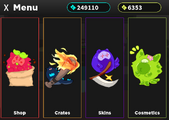 The Shop GUI as of V3.1R.
 -
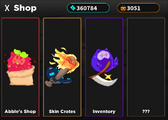 The Shop GUI as of V3.1, Hallows.
 -
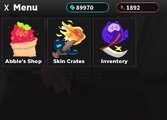 The Shop GUI as of V3.1.
 -
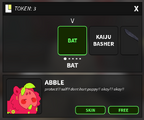 The Shop GUI pre-V3.0


Items (Abble's Shop)
Abble's Shop allows you to buy weapons and items for use at the cost of  tokens. These items are lost upon infection, death, leaving the game, throwing the item away in a trash can, or when the item breaks.
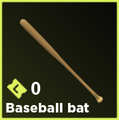
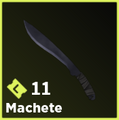
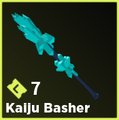
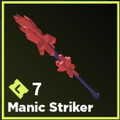
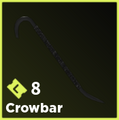
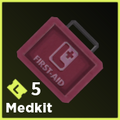
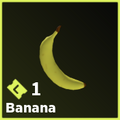
| Item | Price |
|---|---|
| Firework | 1
|
| Festive Bomb | 2
|
| Fireflies | |
| Lemon Slice | |
| Knife | 3
|
| Trystan Cola | 8
|
| Strange Collar | 11
|
| Scythe | 14
|
| Sledgehammer | 15
|
| Chainsaw | 35
|
-
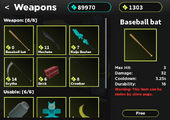 The items menu (V3.1 Late Winter)
 -
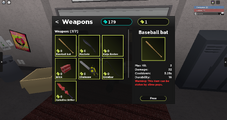 The Items menu (V3 Current)


Skin Crates
Skin Crates allows you to view, buy and open Crates.
The Skin Crates are divided into 2 main categories: Gootraxian Skins and Weapon Skins.
Certain crates within these sections can only be obtained under certain circumstances.
After buying or opening a crate, a short animation will play selecting what skin you got. This animation can be skipped, as the result of the crate is predetermined before the visualizer finishes.<ref>https://imgur.com/d5wNDJi Confirmation that results are predetermined, February 10 2022.</ref>
A page listing every available weapon skins and where they can be obtained can be viewed here.
A page listing every available Gootrax skins and where they can be obtained can be viewed here.
Gootrax Skin
<tabber> |-|Costume Crate=
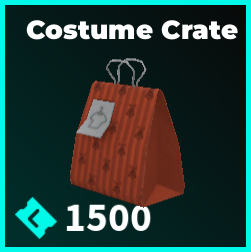
This can be purchased in the shop for 1,500  .
.
Common - 75%
Rare - 17%
Ultra Rare - 6%
Legendary - 2%
|-|Preordered Crate=
This used to be purchasable in the shop for 999 . This crate has since been replaced with the Costume Crate. The purpose of this crate was to preorder the Costume Crate for when Gootraxian Skins were released.
|-|Guaranteed Crate=
This is a crate is given by a code.
The purpose of this crate is to give the user a 100% chance to redeem a rare Gootraxian Skin.
Rare - 17%
-
Shown as 1337%
-
Shown as 1337%
-
Shown as 1337%
-
Shown as 1337%
</tabber>
Weapon Skin
<tabber> |-|Caliber Crate=
This can be purchased in the shop for 1,250 .
Common - 50%


Uncommon - 25%


Rare - 17%


Ultra Rare - 6%


Legendary - 2%


|-|Standard Crate=
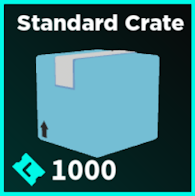
This can be purchased in the shop for 1,000 .
Common - 50%


Uncommon - 25%


Rare - 17%


Ultra Rare - 6%


Legendary - 2%

|-|Basic Crate=
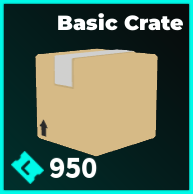
This can be purchased in the shop for 850 or obtained through daily rewards on the 4th Day.
Common - 50%


Uncommon - 25%


Rare - 17%


Ultra Rare - 6%


Legendary - 2%

|-|Colored Crate=
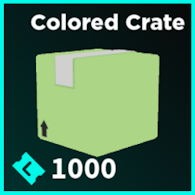
This can be purchased in the shop for 1,000 or obtained through daily rewards on the 5th Day.
Common - 50%


Uncommon - 25%


Rare - 17%


Ultra Rare - 6%


Legendary - 2%


|-|Unusual Gift=
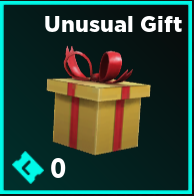
This is mainly obtained through daily rewards on the 6th Day: Codes also commonly give these.
Common - 50%
Uncommon - 25%
Rare - 60%
Ultra Rare - 13%
Legendary - 2%


|-|Diamond Crate=
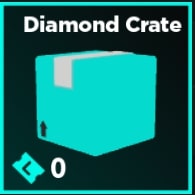
This can be obtained by killing a Diamond Slime variant and successfully picking up its crate or by crafting 10 Pickaxes together using the crafting table.
Uncommon - 70%

Ultra Rare - 20%

Legendary - 10%


|-|Purification Crate=
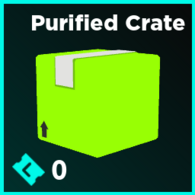
This can only be obtained by surviving the Purification event, which is currently unavailable for the time being.
Legendary - 100%

</tabber>
Event-only Limited Crates
<tabber> |-|Blue Gift=
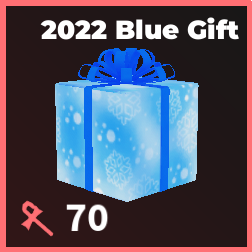
This can only be purchased with 130  , which was available in the Late Winter update.
Uncommon - 50%


Rare - 35%


Ultra Rare - 12%


Legendary - 3%


|-|Green Gift=
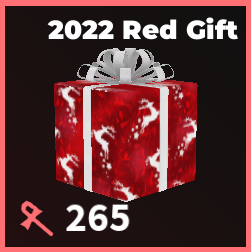
This can only be purchased with 225 , which was available in the Late Winter update.
Uncommon - 40%
Rare - 25%
Ultra Rare - 20%
Legendary - 15%
|-|Red Gift=
This can only be purchased with 360 , which was available in the Late Winter update.
Rare - 15%
Ultra Rare - 50%
Legendary - 35%
|-|Halloween Crate=
This can be purchased with 666  which was available in the Hallows Eve Event, or found around the Facility. The chances for getting a certain rarity in this crate was increased for higher odds of giving rarer skins for the final 24 hours of the event.
Common - 40%
This chance was reduced to 11% on the final day of the event.
Uncommon - 25%


Rare - 18%
This chance was increased to 30% on the final day of the event.


Ultra Rare - 10%
This chance was increased to 20% on the final day of the event.


Legendary - 7%
This chance was increased to 14% on the final day of the event.


|-|Party Crate=
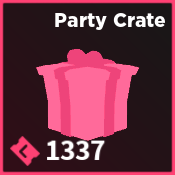
This can only be purchased with 1337  , which was available in the Anniversary Event by finding gifts and pinatas scattered around the Facility.
Legendary - 1337%


|-|Wooden Chest=
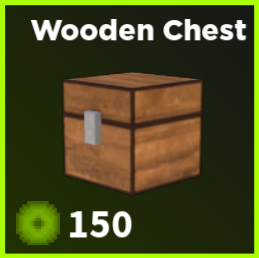
This can only be purchased with 150  , which was available in the V3.2 April Fools Event by finding experience scattered around the Facility.
Uncommon - 40%

Rare - 30%
Ultra Rare - 20%

Legendary - 10%


</tabber>
Pity System
The game features a "pity" system, which automatically rewards you with a skin of a specific tier when a certain amount of crates have been opened. Every time a crate has been opened, the pity count increases by one for that specific crate, and does not decrease or reset under any circumstances. Unboxing skins of a specific tier does not reset the pity count for that tier, and counts may not be transferred between crates; each pity count is unique to a crate.
When a goal is reached, the player is rewarded with the specific tier skin and the counter is crossed out. When the legendary skin counter is crossed out, all of the counters reset.
Points for each crate:
Skin Crates:
Caliber Crate: Rare: 15, Ultra Rare: 30, Legendary: 55
Colored and Standard Crate: Rare: 15, Ultra Rare: 30, Legendary: 65
Basic Crate: Rare: 15, Ultra Rare: 30, Legendary: 80
Unusual Gift: Ultra Rare: 3, Legendary: 7
Diamond Crate: Ultra Rare: 6, Legendary: 12
Gootraxian Costumes:
Costume Crate A: Rare: 15
Chat Messages
When you craft or unbox a skin in a skin crate that is Ultra Rare or Legendary , the following chat messages will appear:
[SERVER]: (player) received an ultra rare (skin).
[SERVER]: (player) received a legendary (skin).
When you bulk unbox crates and receive skins that are Ultra Rare and/or Legendary , the following chat messages will appear, with X as a number:
[SERVER]: (player) received X ultra rares from a bulk unboxing.
[SERVER]: (player) received X legendaries from a bulk unboxing.
[SERVER]: (player) received X ultra rares, and X legendaries from a bulk unboxing.
Additionally, crafting a Exotic skin will yield the following chat message:
[SERVER]: (player) received an exotic (skin)!
Daily Rewards
Logging into Kaiju Paradise will net players a reward once every 24 hours. Logging in multiple days in a row will allow the player to earn better rewards, ranging from increasing amounts of Credits to free skin crates, and finally the exclusive Unusual Gift.


The Daily Reward system is mostly known for its Day 6 reward: the Unusual Gift. The only other legitimate way to obtain this exclusive skin crate is via certain codes.
The Daily Reward system nets the following rewards:
| Streak | Reward |
|---|---|
| Day 1 | 500
|
| Day 2 | 750
|
| Day 3 | 1000
|
| Day 4 | Basic Crate |
| Day 5 | Colored Crate |
| Day 6 | Unusual Gift |
If a player fails to collect their Daily Reward within 24 hours of it becoming available, their Daily Reward streak will reset to 1. This will still apply if the player is banned for over 24 hours. Additionally, the Daily Reward reward will reset to Day 1 after the player claims the Day 6 reward.
Black Friday Sale

The Black Friday Sale is a event that occurs during the month of November. This event decreases the price of crates by a hefty amount, reducing the price of all crates in Abble's Shop from 1,250 to 999 for a period of 3 days.
While this event is ongoing, the original prices of the crates are marked off by a red line, with the new prices being displayed next to the old ones in white text.
Inventory
The Inventory allows you to "inspect" your weapons' skins, change to the skin you want on that weapon or sell skins you don't want.
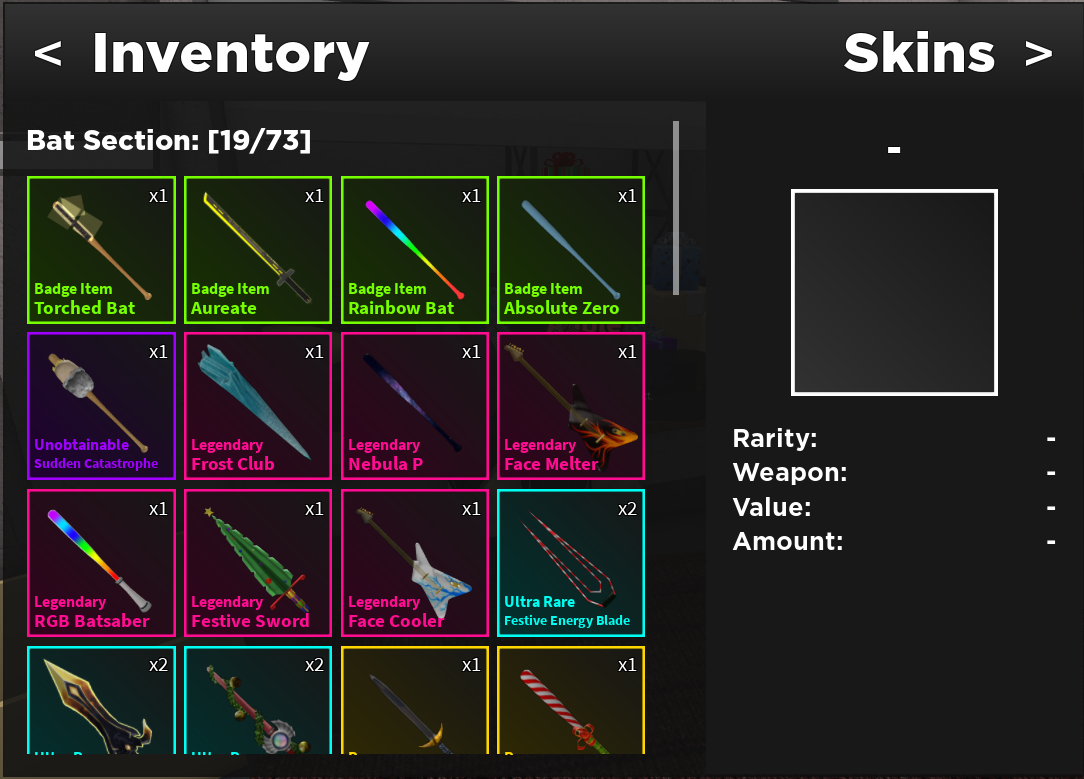
Having no skins in your inventory displays the text "You have nothing in your inventory :/ BUT! You can get some stuff from Abble's shop!"
If you double-click on any skin inside your Inventory, Abble will comment on the skin, accompanied by a photo of her reaction to it.
-
 Very Happy
 -
 Happy
Happy -
 Happy2
 -
Alert
-
 Kidney Failure


Costumes
Similar to the Inventory, The Cosmetics tab is the same exact thing as the Inventory tab, except for the fact that here you may "inspect" your Gootraxian Skins.
Crafting Mode
In the top-right corner of your inventory, there is an arrow button that allows you to access Crafting Mode. This allows you to use the Crafting Station. The crafting station can craft skins in three different ways: <tabber> |-|Upgrading Rarity= By putting a certain amount of skins of the same rarity into the crafting station, you will be able to craft one skin of a higher rarity. The amount of skins needed increases with each successive tier of rarity, Legendary being the highest craftable tier.
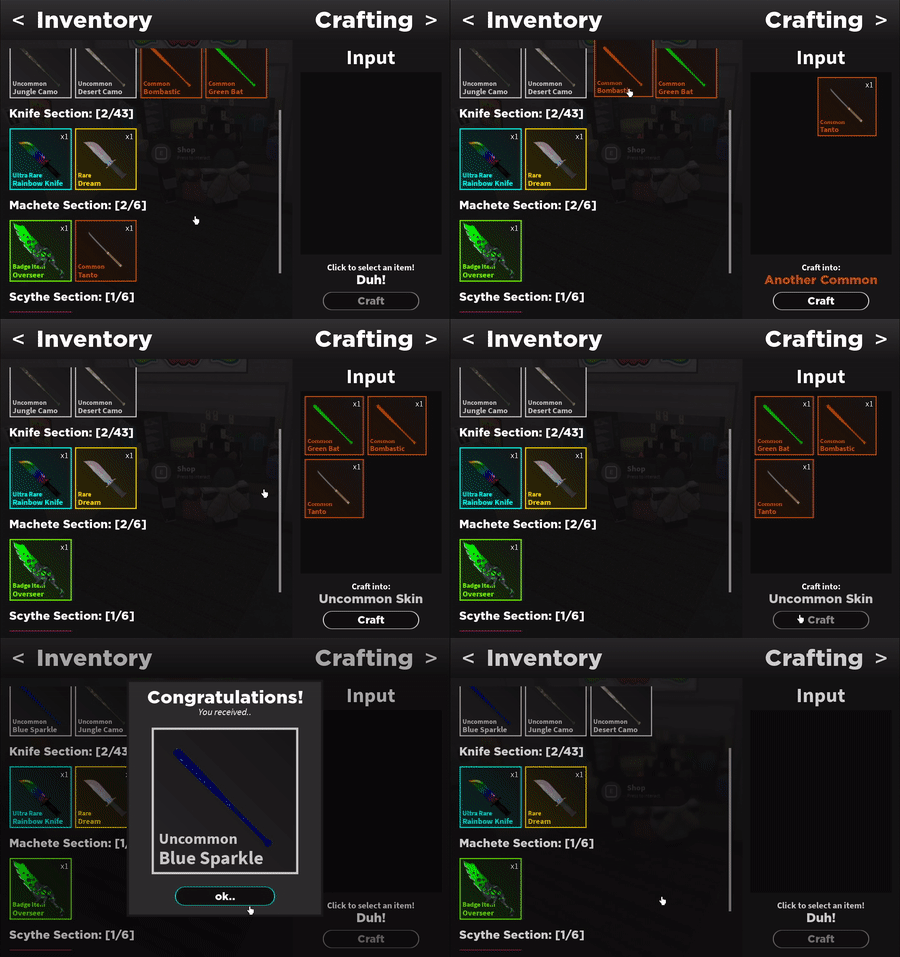
| Skins | Result |
|---|---|
| 3 Commons | 1 Uncommon |
| 4 Uncommons | 1 Rare |
| 5 Rares | 1 Ultra rare |
| 6 Ultra rares | 1 Legendary |
|-|Craft Exclusives= From V3.1 onwards, the Crafting Station is updated to be have an actual skin-crafting station and not just a rarity-upgrading station.
These are the currently known crafting-exclusive skins:


|-|Uncraftables= A certain number of skins cannot be obtained by rarity upgrading or re-crafting—only being obtainable via their respective crates. Additionally, all crafting-exclusive, unobtainable, event-limited and badge skins can only be attained through their corresponding obtainment methods.
As of V3.1, these are the current uncraftable skins and how to obtain them:
-
Colored Crate and Unusual Gift
-
 Colored Crate and Diamond Crate
 -
 Caliber Crate
 -
 Diamond Crate
 -
Diamond Crate
-
 Diamond Crate
 -
 Diamond Crate
 -
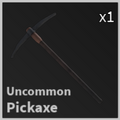 Diamond Crate
 -
Purification Crate
-
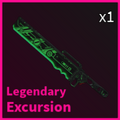 Purification Crate
 -
Purification Crate
-
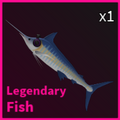 Unusual Gift
 -
Unusual Gift
-
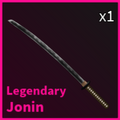 Unusual Gift
 -
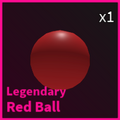 Entering a secret code.
 -
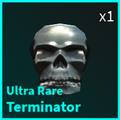 Entering a secret code.
 -
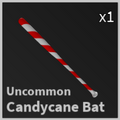 Event exclusive
 -
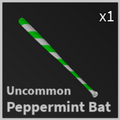 Event exclusive
 -
 Event exclusive
 -
 Event exclusive
 -
 Event exclusive
 -
 Event exclusive
 -
 Event exclusive
 -
 Event exclusive
 -
 Event exclusive
 -
 Event exclusive
 -
 Event exclusive
 -
 Event exclusive
 -
 Event exclusive
 -
 Event exclusive
 -
Event exclusive
-
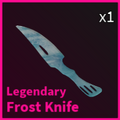 Event exclusive
 -
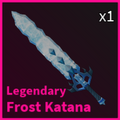 Event exclusive
 -
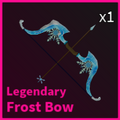 Event exclusive
 -
Event exclusive
-
 Event exclusive
 -
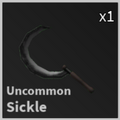 Event exclusive
 -
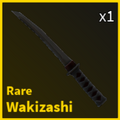 Event exclusive
 -
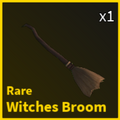 Event exclusive
 -
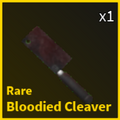 Event exclusive
 -
 Event exclusive
 -
 Event exclusive
 -
Event exclusive
-
 Event exclusive
 -
Event exclusive
-
 Event exclusive
 -
 Event exclusive
 -
 Event exclusive
 -
 Event exclusive
 -
 Event exclusive
 -
 Event exclusive
 -
 Event exclusive
 -
 Event exclusive
 -
Event exclusive
-
 Event exclusive
 -
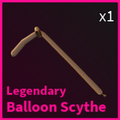 Event exclusive
 -
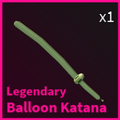 Event exclusive


|-|Re-Crafting=
The Crafting Station also possesses an ability to "re-craft" a random skin of a chosen rarity by the usage of two other skins from the same rarity.
As of V3.1 onwards, you will not receive a duplicate of the any items used during the re-crafting process.

| Skins | Result |
|---|---|
| 2 Commons | 1 Common |
| 2 Uncommons | 1 Uncommon |
| 2 Rares | 1 Rare |
| 2 Ultra Rares | 1 Ultra Rare |
| 2 Legendaries | 1 Legendary |
| 2 Face Melters | 1 Face Cooler |
| 2 Face Coolers | 1 Face Melter |
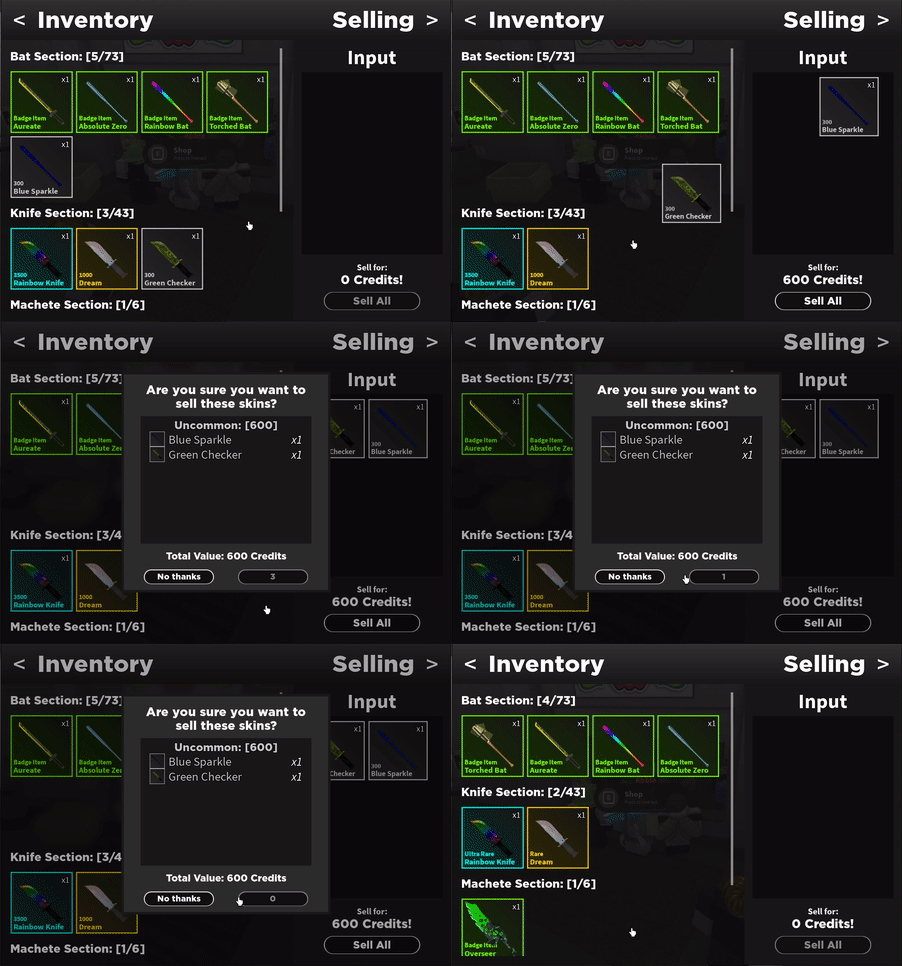
|-|Selling= By clicking on a skin, the player may open an additional menu to sell skins. Any amount of skins may be sold of any rarity, and to confirm this transaction a second menu will open listing all items being sold, as well as locking the sell button for a few seconds to prevent you from accidentally selling skins. Badge Items, however, are unable to be sold.
Due to the relative rarity of Diamond Crates, items derived from Diamond Crates have higher selling prices across the board.
| Rarity | Price |
|---|---|
| Common | 100
|
| Uncommon | 300
|
| Rare | 1000
|
| Ultra Rare | 3500
|
| Legendary | 7500
|
| Exotic | 15000
|
| Unobtainable | 13337
|
| Unobtainable (Contributor Skins) | 50000
|
| Rarity | Price |
|---|---|
| Uncommon | 1500
|
| Ultra Rare | 5000
|
| Legendary | 13500
|
</tabber>
Trivia
- In VIP servers, using the
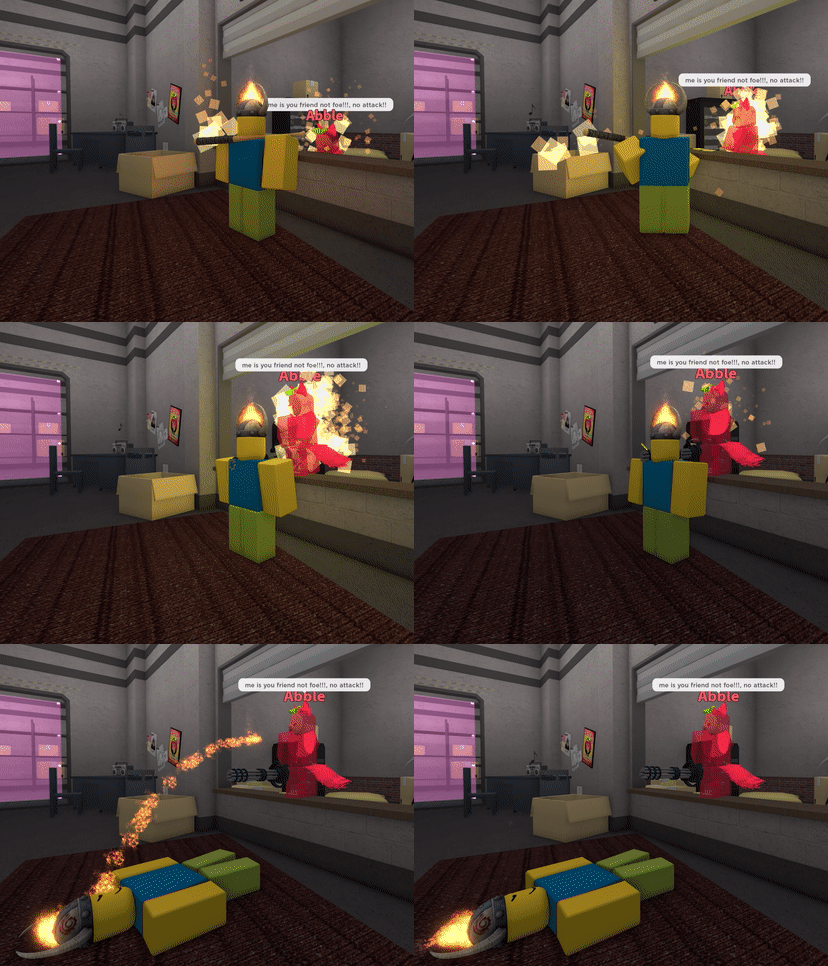
:hostilecommand and attacking Abble multiple times will result in Abble retaliating, as seen in the gif to the right.- Upon being hit, Abble will say one of the following lines: "hey! no attack ok?? ok!!", “ouch!!! no attack!! me is your friend!!!”, or “me is your friend not foe!!!, no attack!!”
- Upon dying to Abble, the text prompt ”Shredded…” will appear.
- It is possible to survive Abble's retaliation by taking cover behind a wall or other suitable form of cover.
- If Abble is unable to kill the player after several seconds, she will stop attempting to retaliate and will return to her normal position.
- The minigun Abble uses sounds different and is much more powerful compared to the equippable M134 minigun.
- The player will always die within fractions of a second upon getting attacked, even if commands are used to buff the player's HP.
- Up to 150 crates can be opened at a time via bulk unboxing.
- Like all other NPCs, Abble will not detect the player if the
:godcommand is active. - Abble spews out tokens upon being attacked.
- However, this effect is purely visual. These tokens cannot be collected and will fall out of the map shortly after spawning.
- "Weapon hit" skin animations will still affect Abble, as shown in the gif.
- Abble cannot be hurt by gun-based weapons.
- This is due to an invisible wall in front of the shop blocking any bullets fired at her.
- Upon collecting a Diamond Crate, the following text prompt will appear: "You collected a rare Diamond crate, you may open it at Abble's shop."
- Upon crafting a Diamond Crate, the Diamond Crate's icon will appear to have a slightly darker variant of the cyan color Ultra Rare skins have.
- It takes 8 seconds to pick up a Diamond Crate.
- Killing a Diamond Slime variant with any of the Crystalized Bats will make the Diamond Crate disappear. It's unknown if this is intentional or a glitch.
- Several guns (such as the M134, M4A1, M60, and SPAS 12) were added to the game exclusively for an April Fools event in 2021.<ref>https://media.discordapp.net/attachments/510886407770734645/992738579619008552/unknown.png 2021 April Fools update log.</ref>
- Guns in Public Servers made a comeback during 2022's April Fools event. However, the guns were unusable. Upon trying to use them, the following text prompt appears: "IT'S JAMMED! human mains be like 😭😭😭😭😭💀💀💀💀🗿🗿🗿🗿🗿"
- Certain items, such as the Prototype L, can be purchased in the shop exclusively by developers.
- Abble's shop, as of the 3.2 Map Update, now has a sign plastered over her normal one reading, "Closing soon". This is a reference to how Slime Pups are being removed from the game, and Abble along with them.
- Abble's Store used have be iron bars blocking entry into her shop. However, it was possible to glitch or slip through the bars to get inside her shop.
- The bars were later made thicker to prevent anyone from entering. Additionally, if a player still managed to get inside, the player would instantly get killed.
- This was later changed to simply teleport players out of the shop instead of killing them.
- However, there was still a spot that allowed players to enter the shop without getting killed or teleported out. This spot was patched with the release of V3.0.
- This was later changed to simply teleport players out of the shop instead of killing them.
- After the release of V3.0, the bars were removed and replaced with an invisible wall instead.
- Currently, if a player manages to glitch into her shop, they will be teleported out with a text prompt from Abble herself exclaiming: "NO HOOMAN!! ME CAN ONLY IN HERE!!!"
- Alternatively, if the player is a Gootraxian and manages to glitch into her shop, the prompt will instead say: "SOWWY FREN!! ME CAN ONLY IN HERE!!!
- The bars were later made thicker to prevent anyone from entering. Additionally, if a player still managed to get inside, the player would instantly get killed.
- Before the new shop UI <ref>https://media.discordapp.net/attachments/510886407770734645/992743879029817454/unknown.png New Shop UI Update Log, February 10 2022.</ref> was added, Abble would give comments about certain skins in one's inventory upon double-clicking them.
- One of her most notable comments were those about cheese-related skins, where Abble would happily exclaim her love for cheese. <ref>https://media.discordapp.net/attachments/510886407770734645/992743965499600977/unknown.png Abble loves cheese confirmed, March 14 2022.</ref>
- In an update released on June 7, 2022<ref>https://cdn.discordapp.com/attachments/595547279965028355/1006758388899795025/unknown.png Update log adding Abble's quotes back, June 7, 2022.</ref>, Abble was once again given the ability to give comments about skins.
- During a Power Outage, Abble will sometimes say the following dialogue: "me sleepy.. but u always welcom!!!", "ZZzZzz.. me sleepy.." and "it dark.. me going sleep..."
- Upon joining the game, Abble will say "!!! welcome! hi hi hi!!”
- Upon leaving the shop, Abble will say "thx for check out me shop!!!!!", "thx!!! u always welcom back!!!" or "thx uuu pls come again!!"
- Attempting to trade any items in private servers will give the player 0 tokens alongside the subtitle "NOPE."
- In VIP servers, all items that can be purchased with tokens (Machete, Chainsaw, etc.) are free. This does not apply to Skin Crates.
- Skin Crates can still be bought in VIP servers, and skins received from said crates will still permanently remain in the player's inventory. However, these crates will still require their corresponding currency to purchase.
- If a player's inventory is full and they attempt to buy an item from Abble, she will give the player the dialogue "you has too many item!!" and will prevent the player from buying said item.
- If a Gootraxian attempts to buy an item from Abble, she will give them the dialogue "hey!! u cant buy item!!! too goo!!" and will prevent them from buying said item.
- Previously in the Experimental version of the game, this dialogue was replaced by the full FitnessGram PACER test script.
- The ceiling above Abble's store contains boxes of unused decorations for the store.
- The Manic Striker can be purchased from the shop if the user is a Roblox Premium member.
- Black Friday originally discounted crates to 750 before the third Black Friday on 2023.
- Black Friday of 2022 was when the bat skin Copper Shortsword was reduced to the rarity Rare, while it was originally Legendary.
- Basic, Colored, Caliber, and Standard Crate were originally 1,250 .
- This was changed during the v3.1R Costume Update, where they got price changes.
Bugs
- Currently, there is a bug that if the player purchases a skin/costume from a crate, the skin would not appear in their inventory. This causes to the skin the player got to be unable to be selected, crafted, or sold. This bug lasts until the player leaves or rejoins.
References
<references />
| ||||||||


